
USB Key for software protection
Ethernet Relay board with web server
Display LCD with USB or Ethernet
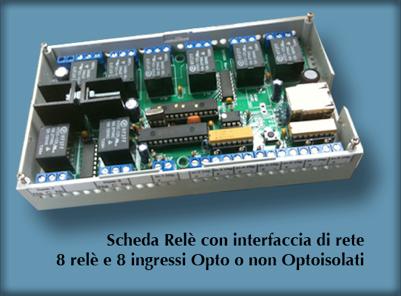
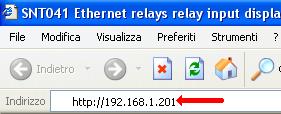
| It's very easy to connect to the board to your computer, the board has a web server so it has an IP address (default is 192.168.1.201 and you can change it or have a DHCP address) just open your browser (internet explorer o other browser) and type the IP address of the board (see picture) | 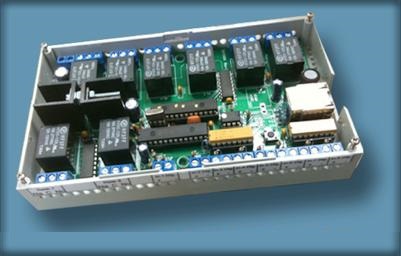 |
Live Demo |

|
|---|---|

|
|
| Click on button to switch the relays and turn on/off leds | |
|
|
|
| L'immagine della webcam viene aggiornata ogni 4 secondi |
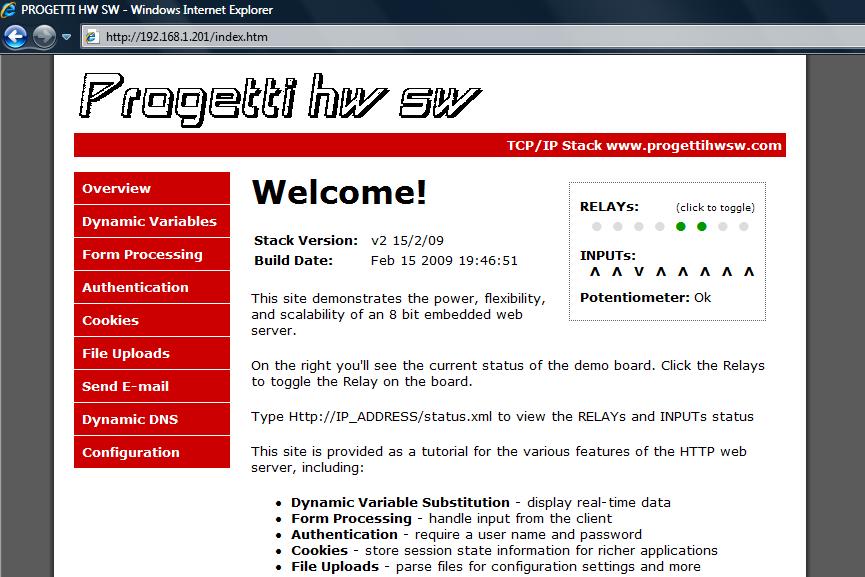
Your browser will show this web page, where you can read 8 inputs state and manage 8 relays
The board front-end is like a router or an IP camera ethernet. You can set up your network to allow to manage the boards from internet
The board is like a PLC because of it has 8 inputs and 8 relays
Contact us
 or phone number +39 0331 730164
 Call us using Skype [username ProgettiHWSW]
You can send command to the board also by a program:
http://192.168.1.201/index.htm?execute=17 Turn on first relay
http://192.168.1.201/index.htm?execute=117 Turn off first relay
To read the input status and relays status please visit http://192.168.1.201/status.xml
You can make a visual basic.NET o C# program, here it is an example:
Imports System.Net
...
Dim wb As New System.Windows.Forms.WebBrowser
wb.Navigate("http://192.168.1.201/index.htm?execute=17") ' Turn on first relay
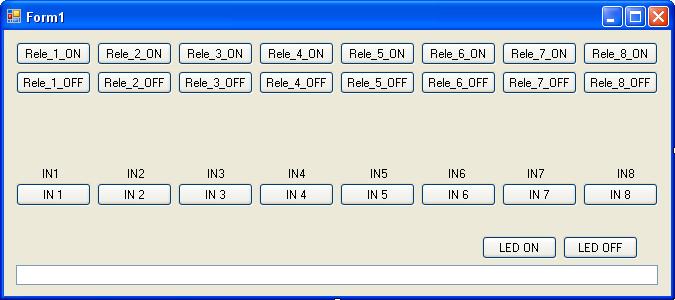
Click here to download the VB.NET 2008 program with source code
You can modify IP address by configuration menu and type username=ftp ; password=ftp
You can also modify the web pages inside the board Click here
If you want to modify the internal web pages please, use MPFS2.exe (CLICK HERE) to create a .bin file and upload your new web pages
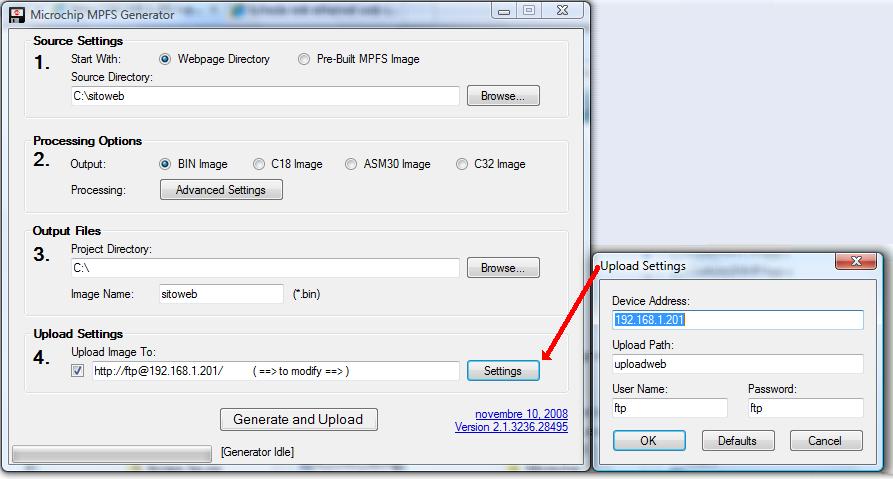
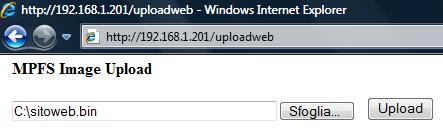
To upload your new web pages, please type on your browser http://192.168.1.201/uploadweb
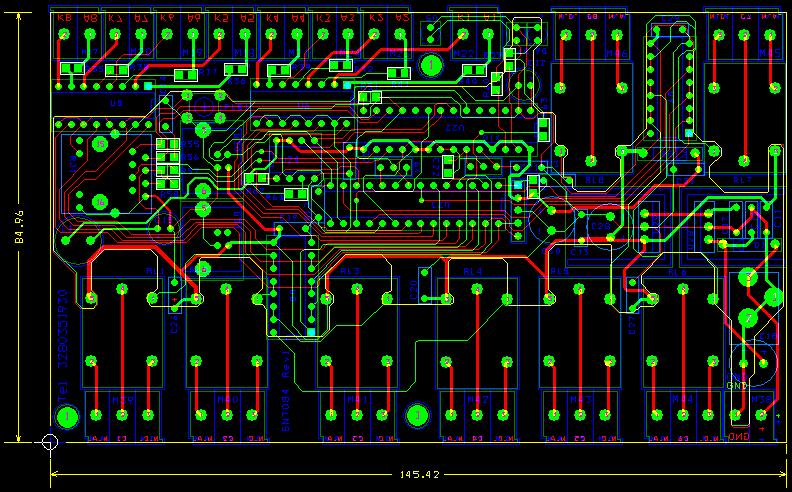
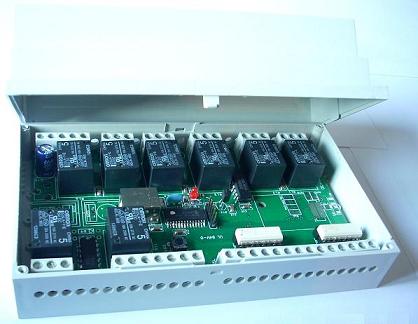
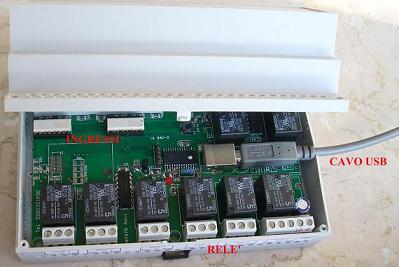
This is the board
We can add a display and send messages to the display by ethernet
We have also boards with WiFi, USB, CAN BUS, RS232, RFID
There are many types of boards so please choose the right one for your business
We can make discount for quantitys
| Please befor send money please write email to verify the board is available |

|
| Type | Description | Cost | Shipping costs |
| USB board |
| SNT337 USB+WiFi 2R 0IN | 2 power relay , 0 input | 61 euro | 13 euro |
| SNT337 USB+WiFi 4R 0IN | 4 power relay , 0 input | 66 euro | 13 euro |
| SNT337 USB+WiFi 4R 4IN | 4 power relay , 4 input | 81 euro | 13 euro |
| SNT319 USB+WiFi 8R 0IN | 8 power relay , 0 input | 84 euro | 13 euro |
| SNT319 USB+WiFi 8R 4IN | 8 power relay , 4 input | 99 euro | 13 euro |
| SNT319 USB+WiFi 8R 8IN | 8 power relay , 8 input | 114 euro | 13 euro |
| Ethernet+WiFi board with power relay (230V 10A) |
| SNT335 ETH+WiFi 2R 0IN | 2 power relay , 0 input | 105 euro | 13 euro |
| SNT335 ETH+WiFi 2R 2IN | 2 power relay , 2 input | 110 euro | 13 euro |
| SNT335 ETH+WiFi 4R 0IN | 4 power relay , 0 input | 115 euro | 13 euro |
| SNT335 ETH+WiFi 4R 4IN | 4 power relay , 4 input | 130 euro | 13 euro |
| SNT319 ETH+WiFi 8R 0IN | 8 power relay , 0 input | 130 euro | 13 euro |
| SNT319 ETH+WiFi 8R 4IN | 8 power relay , 4 input | 145 euro | 13 euro |
| SNT319 ETH+WiFi 8R 8IN | 8 power relay , 8 input | 160 euro | 13 euro |
| SNT319 ETH+WiFi 0R ANALOG IN | 0 relay , analog input | 125 euro | 13 euro | SNT319 ETH+WiFi 1R ANALOG IN | 1 power relay , analog input | 130 euro | 13 euro |
| SNT319 ETH+WiFi 2R ANALOG IN | 2 power relay , analog input | 135 euro | 13 euro |
| SNT319 ETH+WiFi 4R ANALOG IN | 4 power relay , analog input | 145 euro | 13 euro |
| SNT319 ETH+WiFi 8R ANALOG IN | 8 power relay , analog input | 160 euro | 13 euro |
| SNT335 ETH+WiFi 2R 2RFID | 2 power relay , 2 input 2 RFID | 120 euro | 13 euro |
| SNT331 ETH+WiFi 4R 4IN | 4 power relay , 4 input | 130 euro | 13 euro |
| SNT319-320 ETH+WiFi 16R 0IN | 16 power relay , 0 ingput | 165 euro | 13 euro |
| SNT319-320 ETH+WiFi 16R 16IN | 16 power relay , 16 input | 235 euro | 13 euro |
To order the board please email to

|
Read the news on IoProgrammo magazine numember 136 (March 2009) in Italian CLICK HERE |
List of command for turn on/turn off and read inputs
| http://192.168.1.201/index.htm?execute=17 | => turn on Relay 1 | ||
| http://192.168.1.201/index.htm?execute=18 | => turn on Relay 2 | ||
| http://192.168.1.201/index.htm?execute=19 | => turn on Relay 3 | ||
| http://192.168.1.201/index.htm?execute=20 | => turn on Relay 4 | ||
| http://192.168.1.201/index.htm?execute=21 | => turn on Relay 5 | ||
| http://192.168.1.201/index.htm?execute=22 | => turn on Relay 6 | ||
| http://192.168.1.201/index.htm?execute=23 | => turn on Relay 7 | ||
| http://192.168.1.201/index.htm?execute=24 | => turn on Relay 8 | ||
| --------- | |||
| http://192.168.1.201/index.htm?execute=117 | => turn off Relay 1 | ||
| http://192.168.1.201/index.htm?execute=118 | => turn off Relay 2 | ||
| http://192.168.1.201/index.htm?execute=119 | => turn off Relay 3 | ||
| http://192.168.1.201/index.htm?execute=120 | => turn off Relay 4 | ||
| http://192.168.1.201/index.htm?execute=121 | => turn off Relay 5 | ||
| http://192.168.1.201/index.htm?execute=122 | => turn off Relay 6 | ||
| http://192.168.1.201/index.htm?execute=123 | => turn off Relay 7 | ||
| http://192.168.1.201/index.htm?execute=124 | => turn off Relay 8 | ||
| --------- | |||
| http://192.168.1.201/index.htm?execute=1 | or | http://192.168.1.201/leds.cgi?led=0 | => toggle Relay status (if is ON then turn OFF and viceversa) |
| http://192.168.1.201/index.htm?execute=2 | or | http://192.168.1.201/leds.cgi?led=1 | => toggle Relay status (if is ON then turn OFF and viceversa) |
| http://192.168.1.201/index.htm?execute=3 | or | http://192.168.1.201/leds.cgi?led=2 | => toggle Relay status (if is ON then turn OFF and viceversa) |
| http://192.168.1.201/index.htm?execute=4 | or | http://192.168.1.201/leds.cgi?led=3 | => toggle Relay status (if is ON then turn OFF and viceversa) |
| http://192.168.1.201/index.htm?execute=5 | or | http://192.168.1.201/leds.cgi?led=4 | => toggle Relay status (if is ON then turn OFF and viceversa) |
| http://192.168.1.201/index.htm?execute=6 | or | http://192.168.1.201/leds.cgi?led=5 | => toggle Relay status (if is ON then turn OFF and viceversa) |
| http://192.168.1.201/index.htm?execute=7 | or | http://192.168.1.201/leds.cgi?led=6 | => toggle Relay status (if is ON then turn OFF and viceversa) |
| http://192.168.1.201/index.htm?execute=8 | or | http://192.168.1.201/leds.cgi?led=7 | => toggle Relay status (if is ON then turn OFF and viceversa) |
| --------- | |||
| http://192.168.1.201/index.htm?execute=201 | Relay 1 monostable for x Seconds | ||
| http://192.168.1.201/index.htm?execute=202 | Relay 2 monostable for x Seconds | ||
| http://192.168.1.201/index.htm?execute=203 | Relay 3 monostable for x Seconds | ||
| http://192.168.1.201/index.htm?execute=204 | Relay 4 monostable for x Seconds | ||
| http://192.168.1.201/index.htm?execute=205 | Relay 5 monostable for x Seconds | ||
| http://192.168.1.201/index.htm?execute=206 | Relay 6 monostable for x Seconds | ||
| http://192.168.1.201/index.htm?execute=207 | Relay 7 monostable for x Seconds | ||
| http://192.168.1.201/index.htm?execute=208 | Relay 8 monostable for x Seconds | ||
| --------- | |||
| to know the status of relay and to knok the input status and to know analog input value visit: | |||
| http://192.168.1.201/status.xml | |||
|
|